
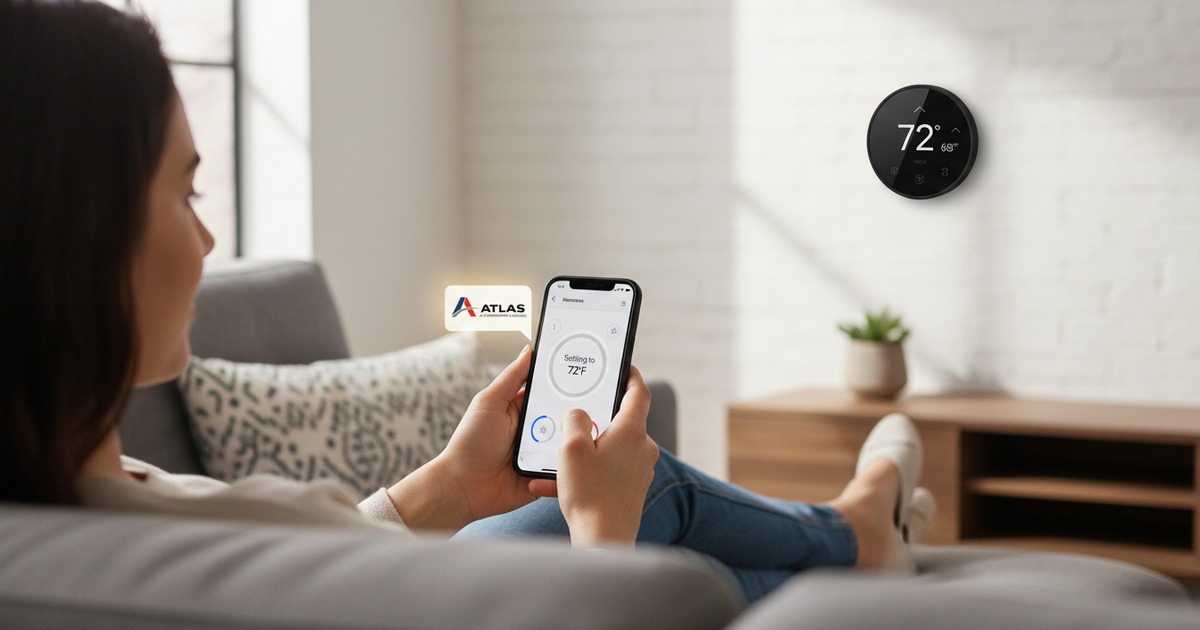
Is a Smart Thermostat Worth It?
Everyone's seen the Nest ads. But is a smart thermostat actually worth the money for a Houston home — or is it a gadget that looks good on Instagram and doesn't do much else? We install these every week. Here's our honest take.
Short answer: yes, with caveats.
For most Houston homes, a smart thermostat will pay for itself in 1-2 years. But not because of any AI magic — it's mostly because programmable schedules and remote control prevent the easiest energy waste in the house: cooling an empty home to 72° all day.
Here's what's actually true about these things.
The Houston-Specific Math
A typical Houston household runs cooling about 7 months of the year. Average summer cooling cost: $200-$400/month. A smart thermostat that improves your scheduling by 8-12% saves you about $25-$50/month for those 7 months.
| Cost | Amount |
|---|---|
| Mid-range smart thermostat | $130 |
| Pro install (if needed) | $100-$150 |
| Total upfront | ~$230-$280 |
| Annual savings (Houston average) | $175-$350 |
| Payback period | 8-18 months |
That's a real return. Better than most home upgrades.
The Top 4 Models, Compared
We've installed all of these. Here's how they actually stack up for Houston homes:
| Model | Price | Best For | Watch Out For |
|---|---|---|---|
| Nest Learning (4th gen) | $279 | Most homes, easy setup | Auto-learning is hit or miss |
| Ecobee Premium | $249 | Big homes with hot/cold rooms | Requires extra room sensors |
| Honeywell T9 | $199 | Tech-shy users | App is the weakest of the four |
| Nest Thermostat (basic) | $129 | Budget pick | No remote sensor support |
If you want the simplest "just works" option: Nest Thermostat (basic). If you have a 2-story home or rooms that don't cool evenly: Ecobee Premium with extra sensors. If you've already got HomeKit or Google Home set up: pick whichever matches your ecosystem.
TIP: Don't pay for the most expensive model unless you'll actually use the features. The basic $129 Nest gives you 90% of the value at half the price of the Learning model.
What a Smart Thermostat Actually Does
The marketing is overblown. Here's what genuinely matters:
-
Remote control. You forget to bump the temp up before leaving for vacation. From the airport, you set it to 84°. That's the feature you'll actually use.
-
Scheduling. Different temps for sleep, work, weekend. Nothing magic — old programmable thermostats did this too — but smart ones make it actually easy to set up.
-
Geofencing. Phone-based detection of when you're home or away. Setbacks automatically. This is genuinely useful and was hard to do before.
-
Energy reports. Monthly summary of how much you ran the system. Helps you spot bad habits.
-
Maintenance reminders. Tells you when to change your filter. Good for absent-minded homeowners.
What It Does NOT Do (Despite the Marketing)
- It does not "learn" you in any miraculous way. The Nest's "learning" is mostly pattern detection of when you adjust the temp. It works okay. It doesn't replace setting a schedule.
- It does not fix a bad HVAC system. If your unit is undersized, leaking refrigerant, or 18 years old, a smart thermostat will not save you.
- It does not work great in homes with hot/cold rooms. Without extra sensors, it only knows the temperature where it's mounted (usually a hallway). Other rooms can be 5-8° different.
Step-by-Step: Smart Thermostat Buying Decision
-
Check your wiring. Smart thermostats need a "C-wire" (common wire) for power. Pull off your current thermostat and look. If you don't have a C-wire, you'll need an adapter (Nest sells one for $25) or a pro install with a wire run.
-
Check your HVAC system type. Standard split systems work with everything. Heat pumps, dual-fuel, multi-stage, and radiant systems are pickier. Look up "[your system] compatible thermostats" before buying.
-
Decide on ecosystem. Apple HomeKit, Google Home, Amazon Alexa. Most smart thermostats work with most ecosystems, but the experience is best when you stay native.
-
Buy from a place with a return policy. Costco, Best Buy, Amazon. If install goes badly or compatibility issues come up, you want to be able to send it back.
-
Install it yourself or hire it out. If you have a C-wire and basic confidence, DIY install takes 30 minutes. If wiring looks confusing, pay $100-$150 for a pro — much cheaper than frying your AC.
WARNING: Do not install a thermostat without turning off power at the breaker first. We've seen homeowners short out their entire HVAC control board because they thought "low voltage" meant safe. It is — until you cross the wrong wires.
Smart vs. Programmable vs. Manual
| Feature | Manual | Programmable | Smart |
|---|---|---|---|
| Cost | $25 | $50-$80 | $130-$280 |
| Schedule setbacks | No | Yes | Yes |
| Remote control | No | No | Yes |
| Geofencing | No | No | Yes |
| Energy reports | No | No | Yes |
| Filter reminders | No | Maybe | Yes |
| Voice control | No | No | Yes |
| Annual savings vs. manual | — | $80-$150 | $175-$350 |
If budget is the issue, a basic programmable beats a manual thermostat. But a smart thermostat is the only one with remote control — and that's the feature you'll actually thank yourself for.
When NOT to Buy One
- Your HVAC system is on its last legs. Wait until you replace the system, then bundle the thermostat in.
- You have a complex multi-zone system without zone-specific thermostats. The setup gets weird.
- You hate apps and won't actually use the features. A $50 programmable will do everything you'd actually use.
- You're renting. Unless your landlord wants to upgrade the wiring.
FAQ
Will a smart thermostat work with my old AC?
Probably. Standard split systems made in the last 25 years almost all work with smart thermostats. Older systems and unusual setups (heat pumps, radiant heat, multi-stage) need compatibility checking before purchase.
How much can I really save?
Realistic Houston savings: 8-15% on cooling costs. For most homes, that's $175-$350/year. Marketing claims of "23% savings" are real in lab conditions but optimistic in real homes.
Are smart thermostats secure? I don't love the idea of Google in my house.
Fair. The Nest is owned by Google. The Ecobee is more privacy-conscious. Honeywell is in between. None are seriously vulnerable to hackers — the data they collect is mostly your schedule and temperature preferences.
Can a smart thermostat make my AC last longer?
Indirectly, yes. Less runtime = less wear. The biggest factor is the filter reminder feature combined with smarter cycling — both reduce strain on the system. Probably extends a typical Houston AC by 1-2 years.
Do I need extra sensors?
Only if your home has uneven cooling. Two-story homes especially benefit — put a sensor upstairs and the system will average the temps. One sensor + one main thermostat = $50-$100 extra and usually worth it.
Related Services
How We Can Help
Smart Thermostat Installation
Professional smart thermostat installation in Houston. Save money and stay comfortable with Nest, Ecobee, Honeywell, and more.
Learn moreNew System Installation
New AC system installation in Houston. Good / Better / Best options explained clearly. Right-sized for your home.
Learn moreKeep Reading
More From the Blog
Get Your AC Ready for Houston Summer
By the time May rolls around in Houston, your AC is about to start the hardest stretch of its life. A quick spring tune-up can be the difference between a system that runs clean all summer and one that dies on the hottest day of the year — always a Saturday.
4 min read →MaintenanceHow Often Should You Change Your Air Filter?
It's the easiest maintenance task on your HVAC system, and it's the one most people forget. In Houston's dust and humidity, a clogged filter doesn't just hurt your air quality — it makes your system work twice as hard and your energy bill shows it.
3 min read →Need Help Now?
Questions about your AC? We’re a phone call away.
Serving Houston and surrounding areas. Licensed, insured, and available same day.